

UPDATED! My project won First Prize in the Funniest category of the ESA Hubble Pop Culture contest! Read about the win and why you should trust your crazy ideas after you finish reading this post. Mmmmmkay?
We all draw inspiration from different places, and it's obvious that much of my inspiration comes from space and astronomy. This latest project came to mind months ago when I first saw the Hubble IMAX 3D film (which, by the way, you must go see as soon as you finish reading this). Hubble is amazing and inspirational in its own right, but I really love hearing stories from the people who work on the space telescope. John Grunsfeld is one of my favorite astronauts. He's a brilliant astronomer, and from interviews I've read or seen .... he just seems like an all-around fascinating person.
At one point in the Hubble IMAX film, he talks about a particular portion of one of his spacewalks that involved unscrewing more than 100 tiny screws on a part of Hubble.
Now, just take a moment to imagine with me, if you will: Put giant oven mitts on your hands. Now slip a tiny tool between your fingertips. Know that you have more than 100 screws to unscrew on a piece of equipment that is worth millions of dollars and holds great scientific significance. Oh, and don't forget that you are more than 300 miles above earth on a spaceship that's traveling at roughly 17, 500 miles per hour.
Feeling a little lame complaining about the intensity of your to-do list today yet?
Here's where Grunsfeld impresses once again. He talks in the film about how, at this point in his spacewalk, he switches to zen mode. He focuses only on the one screw that he is unscrewing at that very moment. Never how many he's already undone, never how many he has left. Just one screw at a time.
For some reason, this brief part of his interview really stuck with me. It's so easy to get overwhelmed with daily tasks, life dreams, everything going on each day. My last post about summer glossed over the stress and overwhelm I feel with trying to keep up with work while entertaining and enjoying my kids during the next few months. Inside, I start to freak out.
It seemed the perfect time to tackle this project that had been pinging in the back of my mind since March. I could use a nice visual reminder to not let overwhelm get the best of me. I'd never designed my own cross-stitch project before, so it was a bit daunting, but I just kept reminding myself, "One Screw At A Time." I found a cross-stitch alphabet I liked, and practiced sketching it out in my handy Maker's Notebook (grid paper FTW!) Once I stitched the words, I realized it needed something else - a little something that would bring Hubble in to the picture (and, hopefully, keep those gutter brains from making jokes about screws). I knew I wanted to include an image of Hubble, but was stumped on how. I didn't have time to do a full-scale Hubble stitching. I needed something simple.
Then I remembered one of my favorite finds and posts over on CRAFT this last year: a Hubble-Shaped paperclip. I pulled up the image and sketched it on my grid paper, cross-stitch style. It worked, for the most part. I did goof on one part while stitching, but I'll just pretend it's not so obvious.
Hopefully this is a good reminder for you, too. Don't get overwhelmed. Just think, "One Screw At A Time."
Friday, June 11, 2010
John Grunsfeld-Inspired Hubble Cross-Stitch

Monday, June 7, 2010
Summerin'
 It's fun. It's hard.
Balancing the kids and work for the summer can be nuts, but it's worth it. Before long, they'll be sleeping 'til noon and not wanting anything to do with me. So - while it may mean working late at night to get my stuff done, not caring what I look like in a bathing suit at the neighborhood pool, and seeking out every cheap or free thing to do with them in the area, I reckon I'll take that challenge while I can. The house will be messy, I won't feel as sharp in the work world, but I'll also have moments like this.
PS - So not usually this sappy. Blame the lack of sleep and high temps, y'all.
Wednesday, May 26, 2010
Stitched Gifts for Mom
 I'm just back from Maker Faire and am still in recovery mode, so I thought I'd share some pictures of one of the gifts I stitched this month for my mom. She has a birthday the week before Mother's Day, and this year I had embroidered gifts in mind for both occasions, so that meant tons.of.stitching. and tons.of.fun.
The Mother's Day project hasn't been fully photographed yet, because it still needs to be sewn into a pillow. My sister and I gave each of our kids a piece of typing paper and had them trace their hands and then write their names on the paper. I then transferred those drawings to fabric and stitched them for mom. The result was really fun, because their stitched signatures were each so incredibly different. I loved that! I still need to sew it into a pillow case, but will take pictures once I do. I also stitched up a set of Mah Jong napkins for mom. As I've mentioned before, we are big fans of Mah Jong. Mom taught me how to play about 10 years ago (eesh - has it been that long!?) and though I don't get to play very often, she has a Mah Jong group that meets regularly. After I stitched the Mah Jong tablecloth that appears in Jenny Hart's Embroidered Effects (her designs, just my stitches) I realized I needed to use the patterns to make something for my mom. I didn't have time to do another large tablecloth, so I decided to go for napkins instead.
We offered the Mah Jong patterns as a freebie pattern on CRAFT last Fall, so I used that PDF to shrink the word "Mah Jong" to fit on the napkins. (the napkins came from Pier 1 and are trimmed in jumbo ric rac - WIN!) I put a tile on each one and ended up creating my own version of a Dragon tile to round out the fourth napkin. I don't have a picture of that one yet, though, as some stitches had to be ripped out. I rolled the napkins up - not laid them out as is seen in the picture here - and put them in a ceramic Chinese take out container that I picked up at World Market. Mom loved them and said she can't wait to host the next round of Mah Jong so she can use them. If I have time, I'll have to stitch up a towel to match ....
Friday, May 7, 2010
Seriously Awesome Space Shuttle Cuff
 A few weeks ago, I received the most awesome gift in the mail from Austin jewelry designer, Christine Terrell of Adaptive Reuse. I first met Christine a couple of years ago, and love her cool tin creations. She has a fantastic way of turning everyday tins into super cool adornments.
 It's hard for my friends to ignore my space obsession. Folks who read my blog, follow me on Twitter or are friends on Facebook are pretty much inundated with my space-y blathering. I'm thankful that, rather than being annoyed (I hope) they seem to be very responsive. And it's so sweet that they would not only get excited about space, but also help fuel my love of the subject by generously sharing space-related objects with me.
 Christine made this rad tin cuff and sent it to me. It arrived on the afternoon of a particularly grueling day, and brought the biggest smile to my face. I love that. Thank you so much, Christine!
 Be sure to check out Christine's web site and shop. Here are a few of my favorite pieces of hers:


Tuesday, April 20, 2010
Cheering on the crafty goodness
 My desk is an absolute wreck right now. Crazy work deadlines, regular ole boring life stuff - just the usual. So I was trying to tidy up a bit and came across this note my daughter left for me on my desk ages ago. I love it so much.
P.S. - the yellow dots are just bled-thru marker from a previous drawing she did
P.P.S. - The transformer is mine. It's my fiddle-with-me-while-you-nervously-giggle-while-on-a-conference-call toy.
P.P.P.S. - Yeah, it's a crappy iPhone pic. I should have at least Hipped it up, eh? Sorry. Gotta make it to the grocery store before I go get the kids from school.
P.P.P.P.S. My P.S.es are now longer than my post
Monday, April 12, 2010
Archive-Along Part 6: Good Ole Tear Sheets

We're winding down our instructional portion of the Archive-Along, and I'll give more information on the next steps that include you at the end of this post. Today, I'm talking tear sheets. While the impetus of this series was focusing on how we needed to archive digital work, it also makes sense to focus on printed work as well. If you've had any work in print (projects, articles, profiles, etc.) it's important to keep good records of those, and it can't hurt to also convert them to digital files to have extra backups.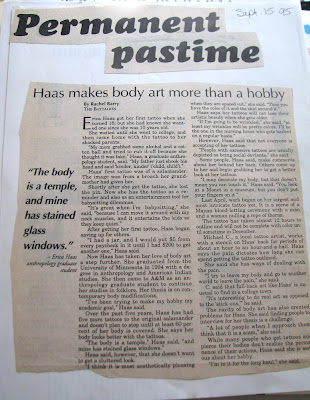 When I worked for my college newspaper, we had newsroom assistants who would go through the newspaper every day and create tear sheets for all the reporters. They would cut out every article, tape each to a piece of paper, write the date on the paper and would then file them in a folder for each reporter in our physical archives. (we were juuuuuust getting started online. It was the 90s, kids!) It was a handy way to have all our work in one place and made it easy to find and pull our best pieces when we wanted to create a portfolio.
While most of my work these days is in digital format, I have had some print work that needs to be curated, so to speak. It's important to keep track of the work and have it properly labeled and easily accessible so it can be shared when needed.
 I'm including these glimpses of my college work for pure laughter purposes here, folks.
 If you are creating tear sheets of your work, you can do one of a few things.
File Folders - go truly old school and do a literal cut-and-paste of printed materials on a piece of 8X11.5 paper, include the date and possibly the masthead of the publication and put them in a file folder. Be sure to use archival supplies. Looking back through my college newspaper archives, I realize that attention to archival quality was ... er ... lacking. And though my college days feel like they just flew by last week, a quick glance at the dates on the pages reminds me it's been a good 15 years since I wrote these gems.
Loose Leaf Notebook - similar to a file folder, but use sheet protectors instead. Creates a handy, portable portfolio.

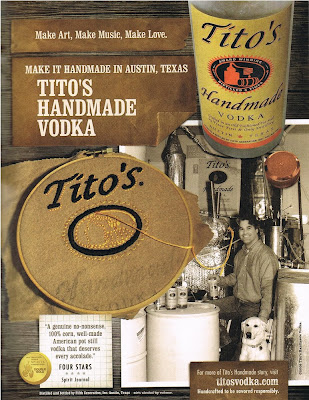 Digitize 'em! - It is also helpful to scan in and save your print work in digital format. From here, you can back it up or archive it in any of the ways that have been discussed during the Archive-Along. It's nice to be able to point people to my printed work with a simple link, and after the Archive-Along experience, I'm finally just about caught up in having all my print work stored in digital format.
When you are digitizing them, you also have the option to create a bit of a collage to showcase the work and publication. For example, the embroidered ad I did for Tito's vodka that was in BUST magazine and the projects I stitched for Jenny Hart's Embroidered Effects book last year could look, instead, like this:

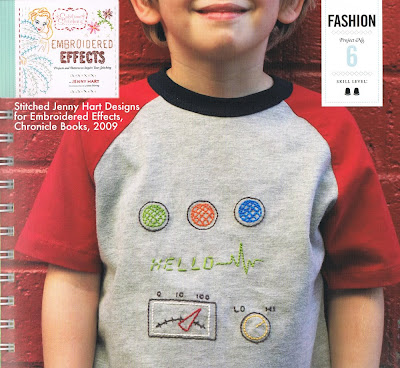 For newer publications, you may find that they keep digital archives already. If they do, fantastic, but you'll also want to save a PDF version just in case they ever remove their archives or switch to a new system where you may have trouble accessing your work (it's happened to me!)
Now that we're winding down the instruction part of the Archive-Along, we're ready for you to chime in with your progress. You've hopefully been ... well ... Archiving right Along with us, but if you are still in the process of backing up and creating portfolios, take a couple of days to finish up what you can and share your progress with us. As you know, Diane is podcasting the heck out of the Crafty Chica Cruise right now, so we have some downtime when you can get your work together. Share it in the comments with links or in our Flickr group. We'll have a round up of reader-submitted tips, projects and successes next week! Thanks so much for joining us, and let us know if you have any questions or tips you'd like to offer!
Thursday, April 8, 2010
Archive-Along Part 5: Backing up your Tweets
 Yesterday's Archive-Along post from Diane on Blog Books was fantastic. I especially loved the magazine option for printing copies of your best blog posts. I had no idea that was available, and it's got me thinking that I will likely combine that option with my tweets discussed here today to create a special publication of my space shuttle launch adventures ....
Today's Archive-Along installment is about backing up your tweets. At first glance, the idea of backing up handfuls of 140 character bits of conversation may seem silly, but if you think again (and if you've been using Twitter effectively) you'll realize how much valuable information is contained in your tweets.
 There are two kinds of tweets that making backing up your Twitter feed important: the ones in which you share useful information/links/pictures and the ones which capture in-the-moment expressions of special occasions. Twitter quickly became my go-to social network, and I found it was the easiest, quickest way to disperse information or commentary on something I was doing. Because of that, some of my richest bits of memories are floating out there in Twitterland. This is especially true for my space shuttle launch experience.
 I also find myself using Twitter constantly to share interesting things I find on the internet. I'm an internet junkie, and the only thing I love more than finding cool stuff on the internet is sharing it with friends. But where do all these found gems disappear to if I shoot them out to Twitter and then do nothing to follow up?
Here are some options for backing up your tweets:
A backup service
There are several services out there for backing up your tweets. They range from free to small monthly or annual fees. Mashable has a nice roundup here. Choosing a service will be mostly personal preference and what your budget allows. Be sure to look for things like easy searching, option to add tags to your tweets, backup of favorites/mentions/DMs, etc.
I favorite things in Twitter like crazy. I'll often zip through Twitter while I'm waiting somewhere (at the doctor's office, in a line, after-school pick up for the kids) and if I see something that looks interesting but I don't have time to read it right away, I'll favorite the tweet so I can go back and check it out later. My favorites become (for the most part) a rich bookmark resource. I want those suckers to be saved!
Another tip: Use your hashtags! If you are tweeting from an event or on a special subject, pick a hashtag, stick to it and use it every.single.time. I realized that I wasn't doing this during my STS-130 launch experience, and if I'd come up with my own special tag, finding my tweets later would have been muuuuuuch easier. Learn from my mistake!
Analog backup:
In addition to backing up your tweets online, it can be fun to find other ways of using your tweets in your work. Think back to Diane's post about archiving your blog in zine format. If you were creating a zine based around a particular event or special subject on which you'd also been tweeting, pulling those tweets into the zine can be a great way to sprinkle personal commentary throughout the publication. And now that I've read about the glossy printed magazine DIY option from Diane's post yesterday, I really want to try this with my MAKE pieces and tweets from the launch. Again, I'll use my space shuttle launch experience to demonstrate. After the launch, I put together an iPhoto book that chronicled my adventures before, during and after the launch. One thing I really wanted to include, but ended up not having time to, was screen shots of some of my tweets throughout that experience. Honestly, I ran out of time. I wanted the book done in time to take down to Houston for the debrief event so I could have it signed by the crew. I didn't have time to search my tweets (that weren't backed up at the time - argh!) and pull screen shots.
 For those of you who use Twitter regularly and effectively, your tweets become an important extension of your blog conversations. Backing them up needs to be a priority.